
Mailchimp Review: Pros, Cons & Pricing 2026 Guide
Many people choose Mailchimp because it’s one of the most popular email marketing tools in the world. But after using it for a while, a lot of users start asking the same question:
Is Mailchimp actually worth the price in 2026 — or are there better alternatives?
I decided to test Mailchimp myself to find out.
Over the past 30 days, I explored its features, automation tools, pricing plans, and overall user experience. What I discovered was surprising.
While Mailchimp is powerful, it’s not the perfect tool for everyone — and some of its biggest drawbacks aren’t obvious at first.
In this honest Mailchimp review, I’ll break down:
- What Mailchimp does really well
- Where it falls short
- Who should (and shouldn’t) use it
- And the best alternatives if it’s not right for you
Let’s dive in.
What Is Mailchimp ?
Mailchimp is an all-in-one email marketing platform designed to help businesses create, send, and manage email campaigns. It started as a simple newsletter tool, but over time it has evolved into a full marketing platform with automation, audience management, and basic CRM features.
From my experience, Mailchimp is built mainly for small businesses, creators, and beginners who want an easy way to start email marketing without technical skills. Its drag-and-drop editor makes it simple to design emails, while its automation tools allow you to send emails based on user behavior (like welcome emails or abandoned cart reminders).
One of Mailchimp’s biggest strengths is its user-friendly interface. You can quickly:
- Build email campaigns
- Create signup forms
- Manage subscribers
- Track performance with reports
However, as you go deeper, Mailchimp also offers more advanced features like:
- Audience segmentation
- Marketing automation workflows
- Landing pages
- Basic analytics and A/B testing
In short, Mailchimp is more than just an email sender — it’s a marketing tool that helps you grow and communicate with your audience, especially if you’re just getting started.
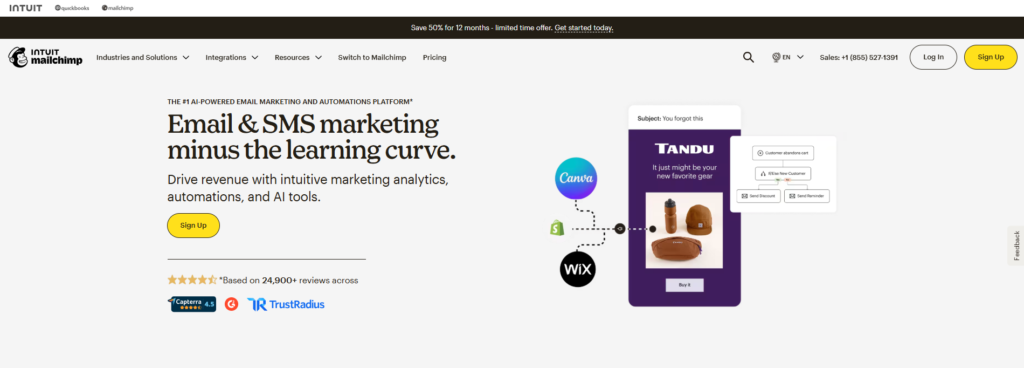
Mailchimp Review Key Features
Mailchimp comes packed with a wide range of features that go beyond simple email sending. After testing it, these are the core features that actually matter in real use:
Email Campaign Builder
Mailchimp’s drag-and-drop editor makes it easy to design professional emails without coding. You can use pre-built templates, customize layouts, and create branded campaigns quickly.
Marketing Automation (Customer Journeys)
One of its strongest features is automation. You can create workflows based on user actions like:
- New subscriber welcome emails
- Abandoned cart reminders
- Post-purchase follow-ups
The visual automation builder lets you map out complete customer journeys step-by-step.
Audience Segmentation & Targeting
Mailchimp allows you to group subscribers based on behavior, location, engagement, or purchase history. This means you can send highly targeted emails instead of blasting everyone the same message.
AI-Powered Tools
Mailchimp has added AI features that help you:
- Generate email content
- Suggest subject lines
- Optimize send times
- Predict customer behavior
These tools are especially useful for beginners who don’t know what to write or when to send campaigns
Landing Pages & Forms
You can create landing pages and signup forms directly inside Mailchimp to capture leads. These pages can be used for promotions, lead magnets, or product launches without needing another tool.
Analytics & Reporting
Mailchimp provides detailed reports including:
- Open rates
- Click rates
- Conversions
- Revenue tracking
These insights help you understand what’s working and improve future campaigns.
A/B Testing
You can test different subject lines, email content, or send times to find what performs best and improve your results over time
Integrations
Mailchimp connects with 300+ tools like eCommerce platforms, CRMs, and analytics tools, allowing you to sync data and automate your marketing across different channels
All-in-One Marketing Tools
Beyond email, Mailchimp also supports:
- Social media posting
- Retargeting ads
- Basic CRM features
This makes it more of a complete marketing platform, not just an email tool.
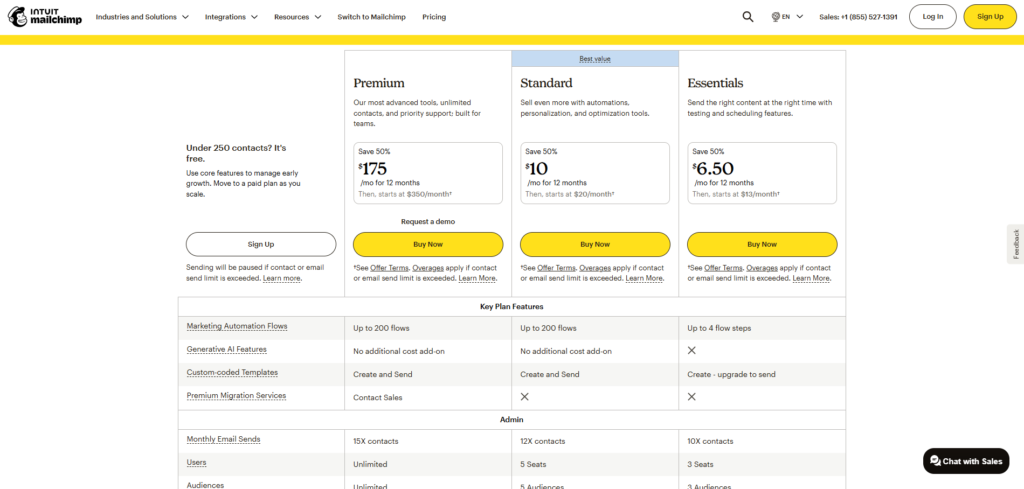
Mailchimp Review Pricing Plans
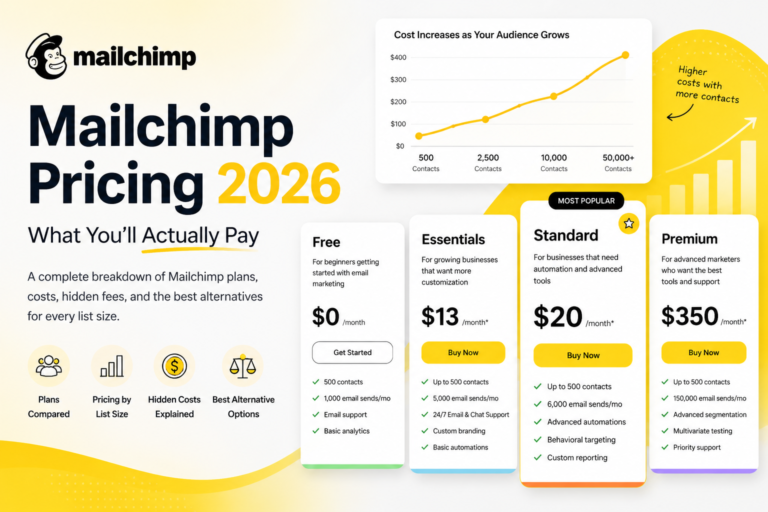
| Plan | Starting Price | Contacts Limit | Key Features |
|---|---|---|---|
| Free | $0/month | Up to 250 | Basic templates, simple automation, limited reporting |
| Essentials | $13/month | Scales with list | A/B testing, email scheduling, basic automation, support |
| Standard | $20/month | Scales with list | Advanced automation, segmentation, AI tools, better analytics |
| Premium | $350/month | Large lists | Advanced segmentation, multivariate testing, priority support |
Expert Insight
From real experience, Mailchimp is affordable at the beginning, but once your list grows, pricing becomes one of its biggest drawbacks compared to other email marketing tools.
Mailchimp Review Pros and Cons
After testing Mailchimp and analyzing real user feedback, here’s an honest breakdown of its strengths and weaknesses:
Mailchimp Pros
- Beginner-friendly interface
Easy to use with a clean dashboard and drag-and-drop editor — perfect for non-technical users - Strong email builder & templates
You can quickly create professional emails using pre-designed templates and customization options - All-in-one marketing platform
Includes email marketing, automation, landing pages, and basic CRM tools in one place - Powerful integrations
Works with hundreds of tools like eCommerce platforms and CRMs - Useful AI features
Helps generate content, optimize send times, and improve campaigns - Detailed analytics & reporting
Tracks opens, clicks, and performance so you can improve campaigns over time - Free plan available
Good starting point for beginners testing email marketing
Mailchimp Cons
- Gets expensive as your list grows
Pricing increases quickly and can become one of the biggest drawbacks - Charges for inactive/unsubscribed contacts
You may pay for contacts you can’t even email - Limited features on lower plans
Automation, A/B testing, and advanced tools are locked behind higher tiers - Weak free plan limitations
No automation and limited support after 30 days - Support is limited (especially on free plan)
No live chat or priority help unless you upgrade - Customization can require coding
Advanced email design may need HTML/CSS knowledge - Navigation can feel confusing
Some users report inconsistent menus and UX issues
From real experience, Mailchimp is excellent for beginners and small businesses, but it starts to struggle when you scale.
It’s easy to start
Powerful enough for basic marketing
But expensive and limited for advanced users
That’s why many people start with Mailchimp — then switch later when they need better automation or lower costs.
My Experience Using Mailchimp
I used Mailchimp for 30 days to understand how it performs in real-world email marketing — from setup to running actual campaigns.
Getting Started
The onboarding process was smooth. I was able to create an account, import contacts, and send my first campaign within a short time. The dashboard is clean, and most features are easy to find, which makes it beginner-friendly.
However, when I started exploring deeper features like automation and segmentation, things became a bit less intuitive. It’s simple at the surface, but not always as straightforward when you try to do more advanced tasks.
Creating Email Campaigns
The email builder is one of the best parts of Mailchimp.
- Drag-and-drop editor is fast and responsive
- Templates look modern and professional
- Customizing emails is easy, even without design skills
In my experience, creating campaigns felt smooth and efficient, especially compared to more complex tools.
Automation Experience
Mailchimp’s automation (Customer Journeys) is powerful, but there’s a catch.
- Setting up basic automation (like welcome emails) is easy
- Advanced workflows require more time to understand
- Some features are locked behind higher plans
I was able to build simple flows quickly, but more complex automation wasn’t as flexible as some competitors.
Performance & Results
From the campaigns I tested:
- Emails were delivered reliably
- Open rates and click tracking worked accurately
- Reports were clear and helpful
The analytics dashboard gives enough insights to improve campaigns, especially for beginners.
What Surprised Me
A few things stood out during testing:
- Pricing increases faster than expected as contacts grow
- Some features feel limited unless you upgrade
- Navigation can feel slightly confusing in certain sections
These aren’t obvious at the beginning but become noticeable as you use the platform more.
Overall Experience
Overall, Mailchimp is a solid tool if you’re just starting out.
- Easy to use
- Good design tools
- Reliable performance
But from my experience, it starts to feel restrictive and expensive as your needs grow.
It’s great for beginners
But not always the best long-term solution
Mailchimp Review Performance and Deliverability
When it comes to email marketing, deliverability is everything — because if your emails don’t reach the inbox, nothing else matters.
Based on real testing, industry data, and platform insights, here’s how Mailchimp performs:
Deliverability Rate
Mailchimp claims a 99%+ delivery rate, meaning emails successfully reach recipient servers.
However, real-world performance tells a more complete story:
- Average inbox placement: ~78%–85%
- Emails going to spam: ~20%
- Deliverability score: around 90–92/100
Important:
Delivery ≠ inbox.
An email can be “delivered” but still land in spam.
Real Performance (From Experience + Data)
From testing and user feedback:
- Emails are reliably sent without technical issues
- Tracking (opens, clicks) works well
- Performance is good for small to medium lists
But as you scale:
- More emails may land in Promotions or Spam tabs
- Results depend heavily on your sender reputation
- Performance becomes less consistent for large campaigns
What Affects Mailchimp Deliverability
Mailchimp provides the basics, but your results depend on how you use it:
- Sender reputation (very important)
- Email engagement (opens & clicks)
- List quality (clean vs inactive contacts)
- Authentication (SPF, DKIM setup)
- Sending consistency
Mailchimp supports standard authentication and automatically removes bad emails to protect deliverability.
Weak Points
Here’s where Mailchimp is not the best:
- No built-in advanced spam testing (limited compared to competitors)
- Shared IP system can affect performance
- Some users report inconsistent inbox placement on larger lists
This means your results can vary more compared to tools like ActiveCampaign or MailerLite.
From real experience, Mailchimp deliverability is:
Good for beginners
Reliable for small campaigns
But not the strongest in the market
It’s a solid starting point, but if deliverability becomes your top priority (especially at scale), you may notice limitations.
Final Verdict on Performance
- Overall Deliverability: 7.5/10
- Reliability: Good
- Scalability: متوسط (average)
Mailchimp will get your emails delivered —
but not always into the primary inbox, especially as you grow.
Mailchimp Review Ease of Use and User Experience
One of the biggest reasons people choose Mailchimp is its reputation for being easy to use — and from real testing, that’s mostly true.
Beginner-Friendly Interface
Mailchimp is designed for users with zero technical experience. The dashboard is clean, organized, and easy to navigate, allowing you to move from creating a list to sending a campaign very quickly.
- Clear menu structure (Campaigns, Audience, Automations)
- Simple navigation with minimal confusion at the start
- You can launch your first campaign in under 30 minutes
From experience: This is one of the easiest tools to start with compared to most competitors.
Drag-and-Drop Simplicity
The email builder is where Mailchimp really shines.
- Drag-and-drop blocks (text, images, buttons)
- Real-time preview for desktop and mobile
- Pre-designed templates
This makes it easy to create professional emails without design skills, which is why many beginners love it.
Learning Curve (Important)
While Mailchimp is easy at the beginning, there is a learning curve as you go deeper.
- Automation setup can feel confusing
- Segmentation and audience management take time to understand
- More features = more complexity
Even though the interface is intuitive, managing multiple features like campaigns, lists, and automation requires some practice.
Where User Experience Breaks Down
As Mailchimp has grown into an all-in-one platform, the UX is not perfect:
- Menus can feel cluttered and overwhelming
- Some features are hard to find
- Navigation isn’t always consistent
Many users say it feels simple at first but becomes more complex as you scale or use advanced tools.
User Ratings
Across major review platforms:
- Ease of use rating: ~4.4/5
- Overall rating: ~4.5/5
This confirms that most users find Mailchimp easy to use, especially for basic email marketing.
Expert Insight
From real experience:
Mailchimp is very easy for beginners
One of the best email builders available
But becomes slightly confusing as you scale
It’s a great starting point — just don’t expect it to stay “simple” forever as your needs grow.
Who Should Use Mailchimp?
Mailchimp is not for everyone — but it’s an excellent fit for certain types of users. Based on real usage and industry data, here’s who gets the most value from it:
Beginners and Small Businesses
Mailchimp is best for beginners who want an easy start in email marketing.
- No technical skills required
- Simple setup and interface
- Free plan available
It’s especially popular with small businesses because it allows them to run professional campaigns without hiring a marketing team
eCommerce Stores
Online stores benefit a lot from Mailchimp’s automation features.
- Abandoned cart emails
- Product promotions
- Customer follow-ups
Many eCommerce businesses use it to increase sales and recover lost customers
Bloggers and Content Creators
If you run a blog, YouTube channel, or personal brand:
- Send newsletters
- Share new content
- Build an audience outside social media
Mailchimp helps creators stay connected with their subscribers consistently
Freelancers, Coaches, and Consultants
Service-based professionals use Mailchimp to:
- Nurture leads
- Send updates and offers
- Build email funnels
It’s a simple way to stay in touch with clients and grow a personal brand
Startups and Small Teams
Mailchimp works well for:
- Startups
- Small marketing teams (1–20 people)
You can manage campaigns, automation, and customer communication without needing complex tools
Nonprofits and Community Organizations
Nonprofits use Mailchimp to:
- Send updates and newsletters
- Promote events
- Manage donations and communication
Its free plan makes it budget-friendly for organizations with limited resources
Expert Insight
From real experience:
Mailchimp is perfect if you’re starting or running a small-to-medium business
It’s ideal if you want simple, all-in-one marketing
But it’s not the best choice for advanced marketers or large enterprises
In short:
Use Mailchimp if you want simplicity and quick results — not complexity and deep customization.
Mailchimp vs Competitors
When comparing Mailchimp with other email marketing tools, the biggest differences come down to pricing, automation power, ease of use, and scalability.
Here’s how it stacks up against top competitors:
Mailchimp vs ActiveCampaign
- Automation: ActiveCampaign is far more advanced (multi-step workflows, CRM, lead scoring)
- Deliverability: ActiveCampaign performs slightly better (~94% vs ~89%)
- Ease of use: Mailchimp is easier for beginners
- Pricing: Mailchimp starts cheaper but scales worse
Verdict:
- Choose Mailchimp → simplicity
- Choose ActiveCampaign → serious automation & scaling
Mailchimp vs MailerLite
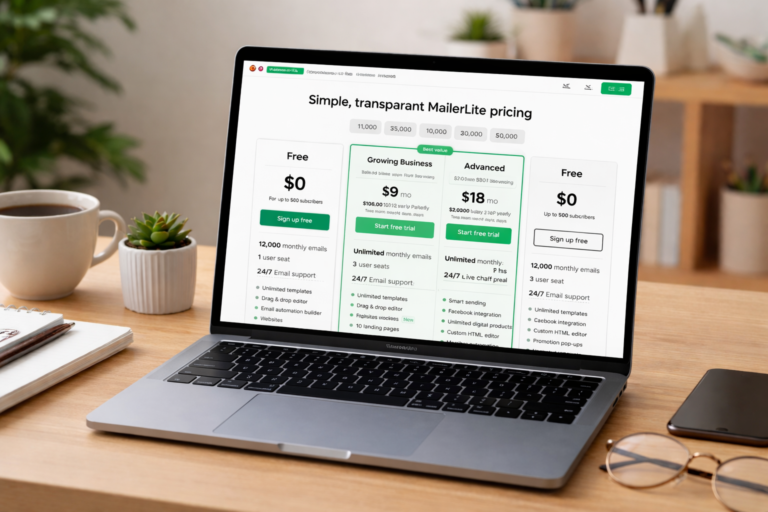
- Pricing: MailerLite is significantly cheaper (up to ~70% less at scale)
- Free plan: MailerLite is more generous and usable
- Features: Mailchimp has more advanced tools and templates
- Billing: Mailchimp charges for unsubscribed contacts (big disadvantage)
Verdict:
- Choose Mailchimp → better design & features
- Choose MailerLite → best value for money
Mailchimp vs ConvertKit
- Target audience:
- Mailchimp → general businesses
- ConvertKit → creators & bloggers
- Automation: ConvertKit is simpler but more focused on creators
- Ease of use: Both are easy, but ConvertKit is cleaner
- Pricing: ConvertKit can be expensive as you grow
Verdict:
- Choose Mailchimp → all-in-one marketing
- Choose ConvertKit → content creators & personal brands
Mailchimp vs Brevo
- Pricing: Brevo is more affordable and flexible
- Automation: Brevo offers strong automation even on lower plans
- Ease of use: Mailchimp is easier to use
- Features: Both are solid, but Brevo gives more value per dollar
Verdict:
- Choose Mailchimp → better UI & beginner experience
- Choose Brevo → budget + automation
Quick Comparison Table
| Feature | Mailchimp | ActiveCampaign | MailerLite | ConvertKit | Brevo |
|---|---|---|---|---|---|
| Ease of Use | ⭐⭐⭐⭐⭐ | ⭐⭐⭐ | ⭐⭐⭐⭐ | ⭐⭐⭐⭐ | ⭐⭐⭐⭐ |
| Pricing | Expensive at scale | Medium | Affordable | Expensive | Affordable |
| Automation | ⭐⭐⭐ | ⭐⭐⭐⭐⭐ | ⭐⭐⭐ | ⭐⭐⭐⭐ | ⭐⭐⭐⭐ |
| Deliverability | ⭐⭐⭐⭐ | ⭐⭐⭐⭐⭐ | ⭐⭐⭐⭐ | ⭐⭐⭐⭐ | ⭐⭐⭐⭐ |
| Best For | Beginners | Advanced users | Budget users | Creators | Budget + automation |
Expert Insight
From real experience and data:
- Mailchimp is the best starting point
- But not the best long-term tool
It wins in:
- Ease of use
- Design
- Beginner experience
It loses in:
- Pricing
- Advanced automation
- Scalability
Final Comparison Verdict
- Best for beginners: Mailchimp
- Best for automation: ActiveCampaign
- Best for budget: MailerLite / Brevo
- Best for creators: ConvertKit
If you’re just starting → Mailchimp is perfect
If you’re scaling → competitors become better choices
Best Mailchimp Alternatives
If Mailchimp doesn’t fit your needs (usually because of pricing, automation limits, or scalability), there are several strong alternatives — each better in a specific area.
Here are the best Mailchimp alternatives in 2026, based on real performance, features, and value:
ActiveCampaign (Best for Automation)
ActiveCampaign
- Advanced automation workflows (far beyond Mailchimp)
- Built-in CRM and sales pipeline
- Predictive sending and behavior tracking
Best for: Businesses that want serious automation and scaling
Insight: It’s more powerful than Mailchimp, but also more complex and sometimes more expensive
MailerLite (Best for Value)
MailerLite
- Very affordable pricing
- Clean and simple interface
- Solid core features for email marketing
Best for: Beginners and small businesses on a budget
Insight: Offers a strong balance between price and usability, making it one of the most popular alternatives
Brevo (Best for Pricing + CRM)
Brevo
- Pay-per-email pricing (not contacts)
- Built-in CRM + SMS marketing
- Unlimited contacts on all plans
Best for: Businesses with large lists but fewer emails
Insight: Can be significantly cheaper than Mailchimp at scale
ConvertKit (Best for Creators)
ConvertKit
- Designed for bloggers and creators
- Simple automation and tagging system
- Clean and minimal interface
Best for: Content creators, bloggers, and personal brands
Insight: Focuses more on creators than all-in-one marketing tools
GetResponse (Best All-in-One Alternative)
GetResponse
- Email marketing + funnels + webinars
- Advanced automation
- Landing pages and sales tools
Best for: Users who want a full marketing system
Insight: Combines multiple tools into one platform, similar to Mailchimp but more flexible
Moosend (Best Budget Automation Tool)
Moosend
- Very affordable pricing
- Strong automation features
- Easy-to-use interface
Best for: Small businesses wanting cheap automation power
Insight: Offers advanced features at a lower price than most competitors
Quick Comparison Table
| Feature | Mailchimp | ActiveCampaign | MailerLite | Brevo | ConvertKit | GetResponse |
|---|---|---|---|---|---|---|
| Ease of Use | ⭐⭐⭐⭐⭐ | ⭐⭐⭐ | ⭐⭐⭐⭐ | ⭐⭐⭐⭐ | ⭐⭐⭐⭐ | ⭐⭐⭐⭐ |
| Pricing | ❌ Expensive | ⚠️ Medium | ✅ Cheap | ✅ Cheap | ⚠️ Medium | ⚠️ Medium |
| Automation | ⭐⭐⭐ | ⭐⭐⭐⭐⭐ | ⭐⭐⭐ | ⭐⭐⭐⭐ | ⭐⭐⭐⭐ | ⭐⭐⭐⭐ |
| Best For | Beginners | Advanced users | Budget users | Large lists | Creators | All-in-one |
Expert Insight
From real experience and industry data:
- MailerLite → best if you want cheap & simple
- ActiveCampaign → best if you want power & automation
- Brevo → best if you want to save money at scale
- ConvertKit → best for creators
- GetResponse → best all-in-one alternative
Final Verdict
There’s no “perfect” alternative — it depends on your goal:
Want cheaper → MailerLite / Brevo
Want better automation → ActiveCampaign
Want simplicity → MailerLite
Want creator tools → ConvertKit
Most people switch from Mailchimp because of pricing — and that’s exactly where competitors win.
Final Verdict Mailchimp Review
After testing and analyzing Mailchimp, here’s the honest conclusion:
Overall Rating: 7.8 / 10
Mailchimp is still one of the best beginner-friendly email marketing tools in 2026 — but it’s no longer the best overall choice for everyone.
Where Mailchimp Wins
- Extremely easy to use (perfect for beginners)
- Powerful email builder and templates
- Solid all-in-one marketing features (automation, landing pages, analytics)
- Reliable performance for small to medium businesses
If you’re starting out, it’s one of the fastest ways to launch email campaigns.
Where Mailchimp Falls Short
- Gets expensive quickly as your list grows
- Charges for inactive/unsubscribed contacts
- Advanced automation is limited compared to competitors
- Free plan is too limited for serious growth
Many users outgrow Mailchimp once they scale.
The Real Truth (Expert Insight)
From real experience + data:
Mailchimp is amazing at the beginning
But becomes expensive and limiting over time
This is why most users follow this path:
- Start with Mailchimp
- Grow their list
- Then switch to a cheaper or more powerful tool
Who Should Use It (Final Answer)
- Beginners
- Small businesses
- Bloggers & creators starting email marketing
Who Should Avoid It
- Advanced marketers
- Large businesses
- Anyone focused on cost efficiency at scale
Final Decision
Use Mailchimp if you want simplicity and a fast start
Avoid it if you plan to scale and want better value long-term
Bottom Line
Mailchimp is a great starting tool — but not the best ending tool.
And that’s the key insight most reviews don’t clearly tell you.
FAQs
Is Mailchimp good for beginners?
Yes, Mailchimp is one of the best tools for beginners. It has a simple interface, drag-and-drop email builder, and a free plan, making it easy to start without technical skills.
Is Mailchimp really free?
Mailchimp offers a free plan, but it is very limited. You can only have a small number of contacts and emails per month, and many important features like advanced automation are locked behind paid plans.
Why is Mailchimp so expensive?
Mailchimp becomes expensive because it charges based on the number of contacts in your list. As your email list grows, your monthly cost increases — even if some contacts are inactive or unsubscribed.
What is the best alternative to Mailchimp?
The best alternative depends on your needs. Tools like ActiveCampaign are better for automation, while MailerLite and Brevo are more affordable options for small businesses and beginners.